2.8 KiB
Cloud Point RPC
Communication JSON RPC protocol and implementation with Unity Scene.
Project Structure
include/: Header files for the RPC server, TCP server, and C-API.src/: Implementation of the RPC logic, networking, and C-API.src/cloud_point/: OpenCV-based image processing and rectification logic.docs/: Documentation diagrams and models.subprojects/: Dependencies managed by Meson.
Status
- Server implementation with C-API for Unity
- Basic OpenCV image processing (Rectification, Image wrapper)
- Full OpenCV client implementation
API Documentation
See API.md for detailed request/response formats.
Development
The project uses Meson build system and C++20.
Dependencies
- Meson (>= 1.1.0), Ninja
- GCC/Clang (C++20 support)
- Git (for subprojects)
- OpenCV (for cloud point compute)
The following dependencies are managed via Meson subprojects:
- ASIO (Networking)
- nlohmann/json (JSON serialization)
- yaml-cpp (Configuration loading)
- glog (Logging)
- jsonrpccxx (JSON-RPC 2.0 implementation)
- stdexec (P2300 Senders/Receivers)
Build & Run
meson setup build
meson compile -C build
./build/src/cloud_point_rpc_server config.yaml
Note: You need a config.yaml file. See config.yaml.example for the required format.
Build on windows
It's assumed that you have GCC and make/ninja installed on your system (and available in PATH)
## FIRST OF ALL!
git submodule init
git submodule update
# Next python:
python3 -m venv .\venv
.\.venv\Scripts\Activate.ps1
pip install meson cmake
meson setup -Ddefault_library=static build
meson compile -C build
# To correctly get dlls:
meson devenv -C build
## .\build\tests\unit_tests < for dummy test
## .\build\src\.. < produced execs and libs
Testing
meson test -C build -v
Docker
You can build and run the cli using Docker.
1. Build Image
docker build -t cloud-point-rpc .
2. Run Container
The cli will try to connect to a running server on ip and port defined in config.yml file. (defined in config.yaml inside the image).
For simplicity, it's better to use a host network, so you will not have any headache with accessability.
Server is not configured to run through container, if you need, contact me
You also can mount your own config.yaml to override the default settings:
docker run --network=host -it -v $(pwd)/my_config.yaml:/app/config.yaml cloud-point-rpc
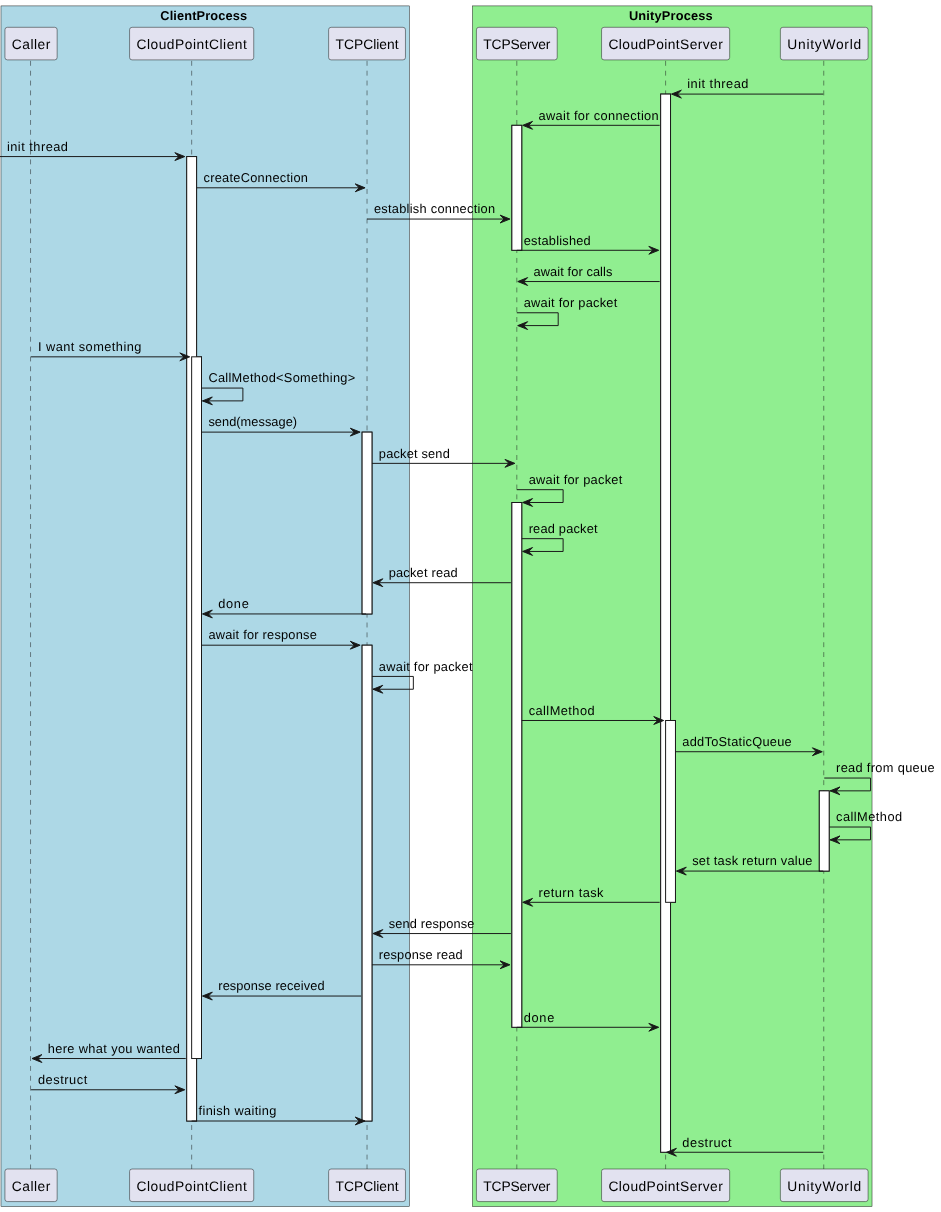
Communication model